
Some people need to ask a question and get a reply, and they cannot see or hear either side of the exchange.
For a person with deafblindness, the usual answer is an electronic braille display: a machine that turns text into raised dots under the fingertips. It works — until its battery runs out, or it needs servicing. Then the person who could communicate a minute ago cannot, and there is no spare.
A colleague saw that gap and made a different answer, by hand, for her peer.
The colleague was a caregiver, and her peer was a deaf-blind traveller — someone who needed to communicate with airline staff, and with anyone else, in places where digital tech is cumbersome and tactile sign is not available. Her first version was paper. It worked — the traveller could use it — and it did something else just as important: it showed the SalvageGarden makers exactly what the use case was, before anyone started prototyping. A paper prototype you can hold teaches faster than any description.
The Speak by Pointing Keyboard is a card you can wear on a lanyard. It carries tactile braille the user can read, with the matching print letters, numbers and core words — “yes”, “no”, “wait”, “repeat” — printed underneath. A sighted friend guides the user’s hand to the right spot, and the user “feels” the reply. No battery, no screen, nothing to charge, nothing to break down.
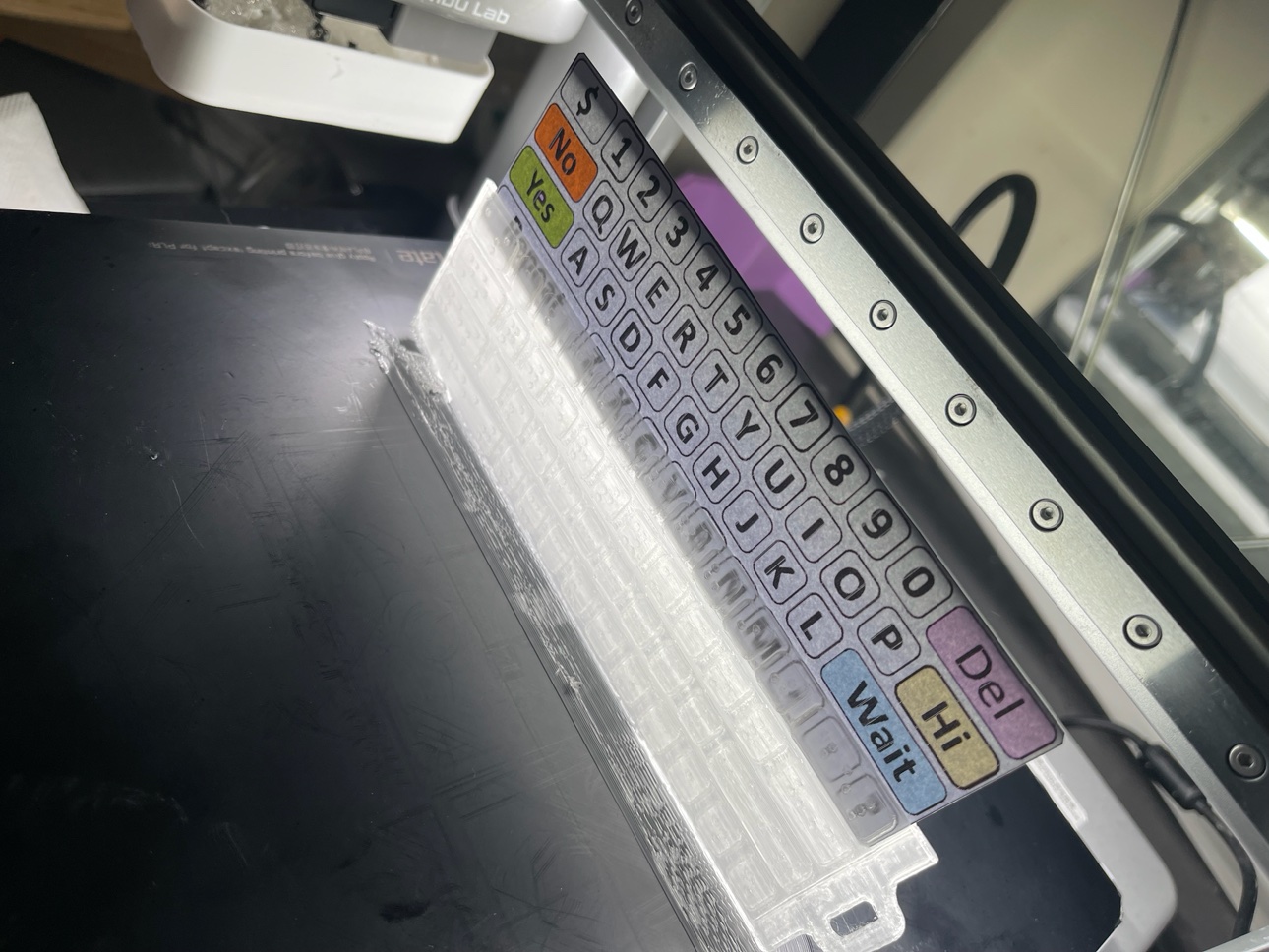
That is the whole idea of this blog series in miniature. The device is the tangible way into the need: hold the card and you understand, immediately, what it means to lose your one channel of communication when a battery dies — and how much independence a piece of card and some raised dots can give back.
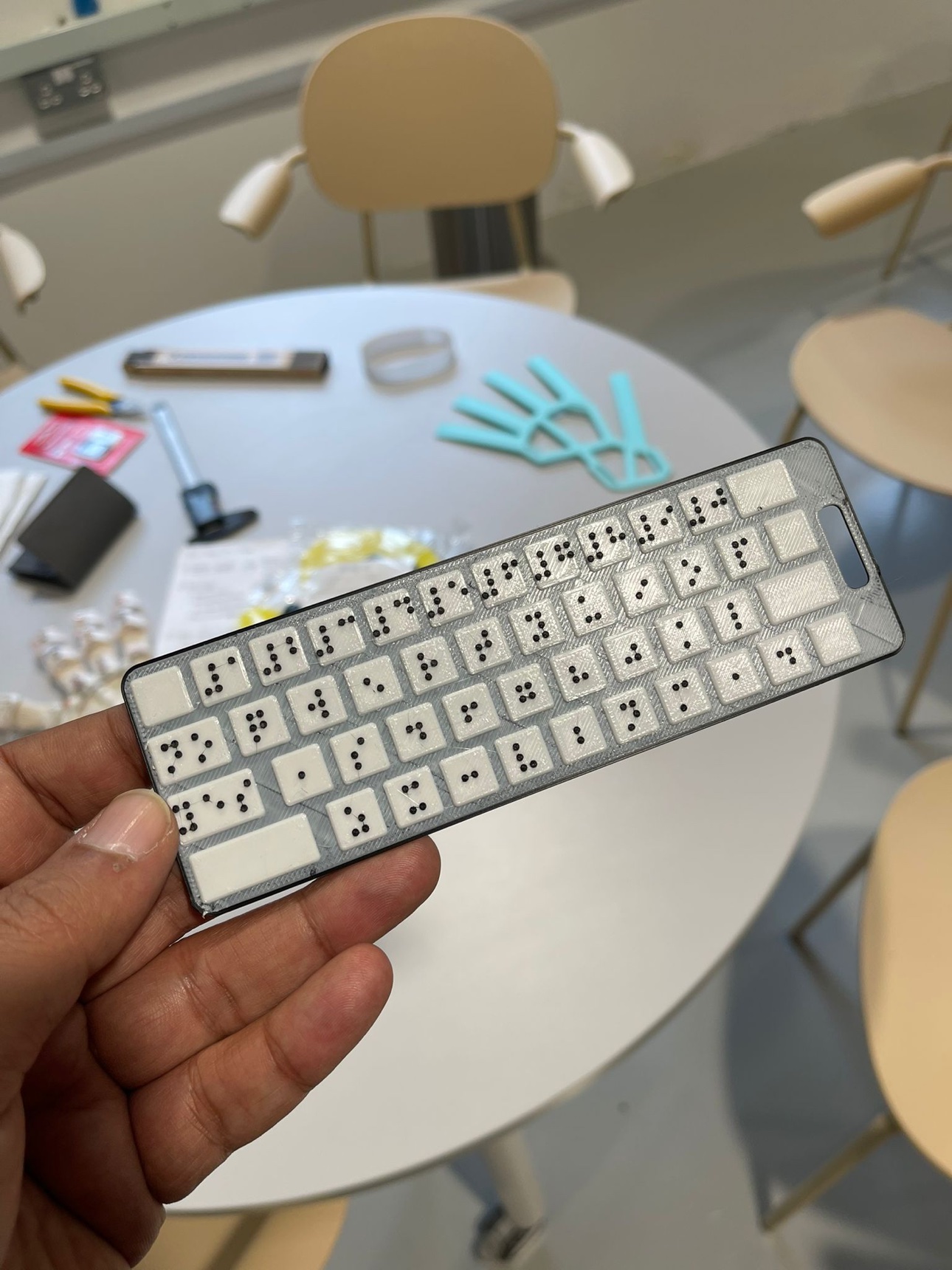
And the making is the point, not the printing. The keyboard began as one thoughtful colleague making something for one peer. It is now an open-source, 3D-printable design, so any maker community can print it, hand it out, and teach the interaction — not just the object. It is shared in the spirit it was made in — freely, for anyone who needs it — and the hope is that it is treated that way: made, shared, passed on. The skill is not in the plastic. It is in knowing when the high-tech answer will fail, and having the low-tech backup ready before it does.
That is what a maker can do that a catalogue cannot: notice the moment the expensive device stops working, and build the thing that keeps the conversation going anyway.
And if you’re a caregiver, help spread the word about the process — not just the object, but how it came to be: a paper prototype first, a use case understood before the printing started, and a design shared openly. That is the part worth copying.
What a maker can do
- Print one. The Speak by Pointing Keyboard is an open-source 3D-printable design — SPKeyboard: Deaf-Blind AAC “Keyboard” with braille, parametric, published on Printables by Saad. It’s parametric (openSCAD), so the layout and text can be customised, and it’s shared under a CC BY-SA licence.
The design is parametric, so it doesn’t come out the same every time — here are a few versions from the same files, in different sizes and colours.
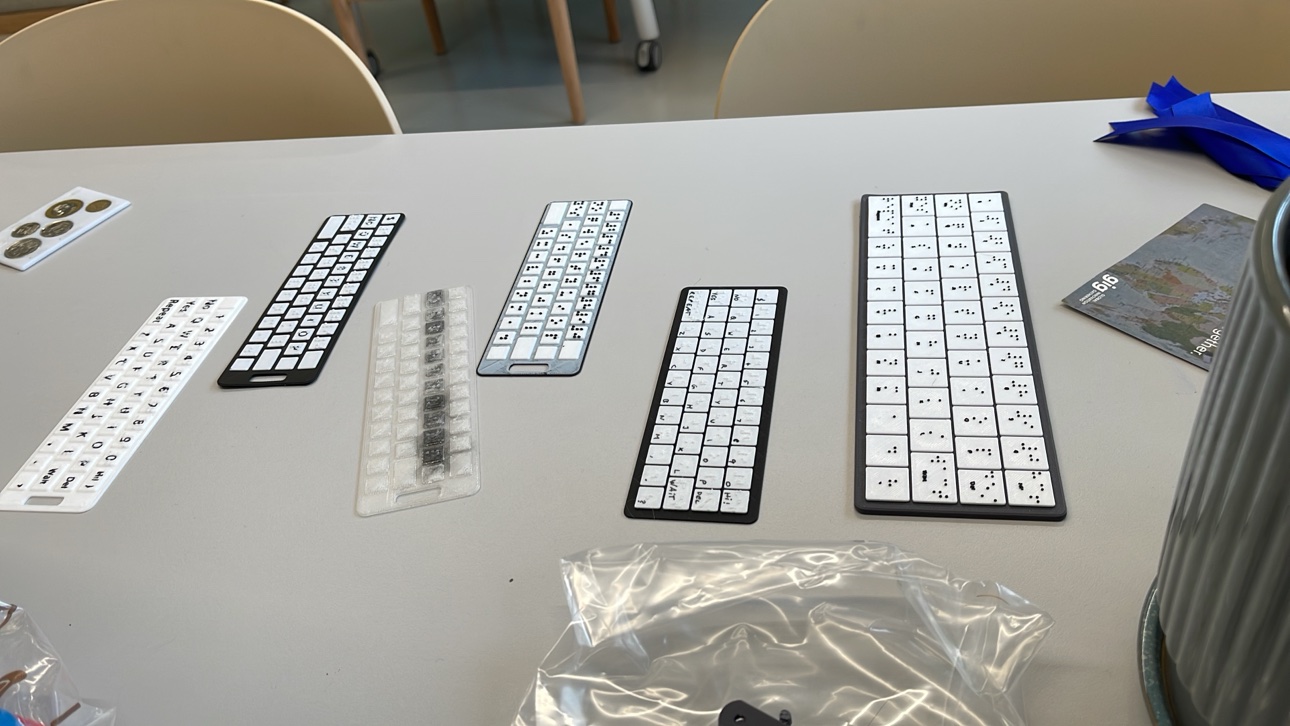
- Try resin printing. The braille dots need a good texture under the fingertips — resin printing gives a smoother, more defined dot than FDM. If you have access to a resin printer, try it and tell us how it feels.
- Hand it out with the interaction, not just the object. The card only works if the sighted partner knows how to guide a hand to the right spot — teach that alongside the print.
- Look for the backup, not just the device. Every high-tech assistive device has a failure mode — a dead battery, a service visit. Ask what the low-tech backup is, and build that too.
Sources
- Speak by Pointing Keyboard — @salvagegardenmakerspace, 17 June 2026
- SPKeyboard: Deaf-Blind AAC “Keyboard” with braille — parametric — Printables, designer Saad Caffeine (@SaadCaffeine), updated 19 Feb 2026, CC BY-SA 4.0. “Wearable board with braille and visible text designed with openSCAD to be entirely parametric for custom layout and text.”